For CPA & accounting firms
Manage Timesheets, Expenses, and QuickBooks Online in One Workflow.
Your staff log time and expenses, managers approve them, and approved expenses go to QuickBooks Online with the right vendor, account and card — no retyping, nothing sent twice.
30-day free trial · No setup fees · Set it up yourself in about 30 minutes
See it in action
From hours to QuickBooks in four steps.
A short walkthrough of the screens your team will use every week.
Demo video coming soon — here are the main screens.
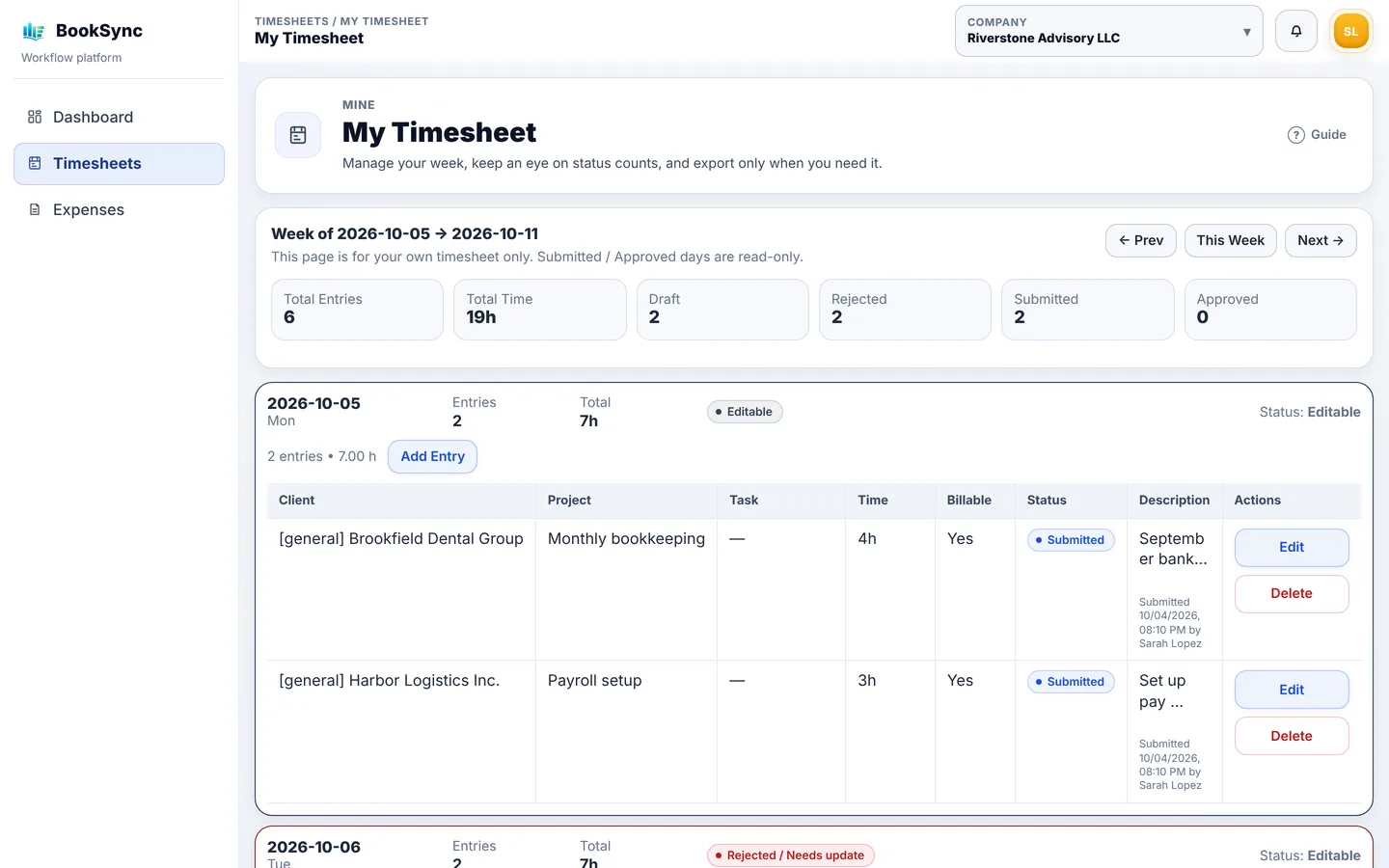
1. Log time and expenses
By client, project and task. Expenses with receipts, or straight from card and bank statements.
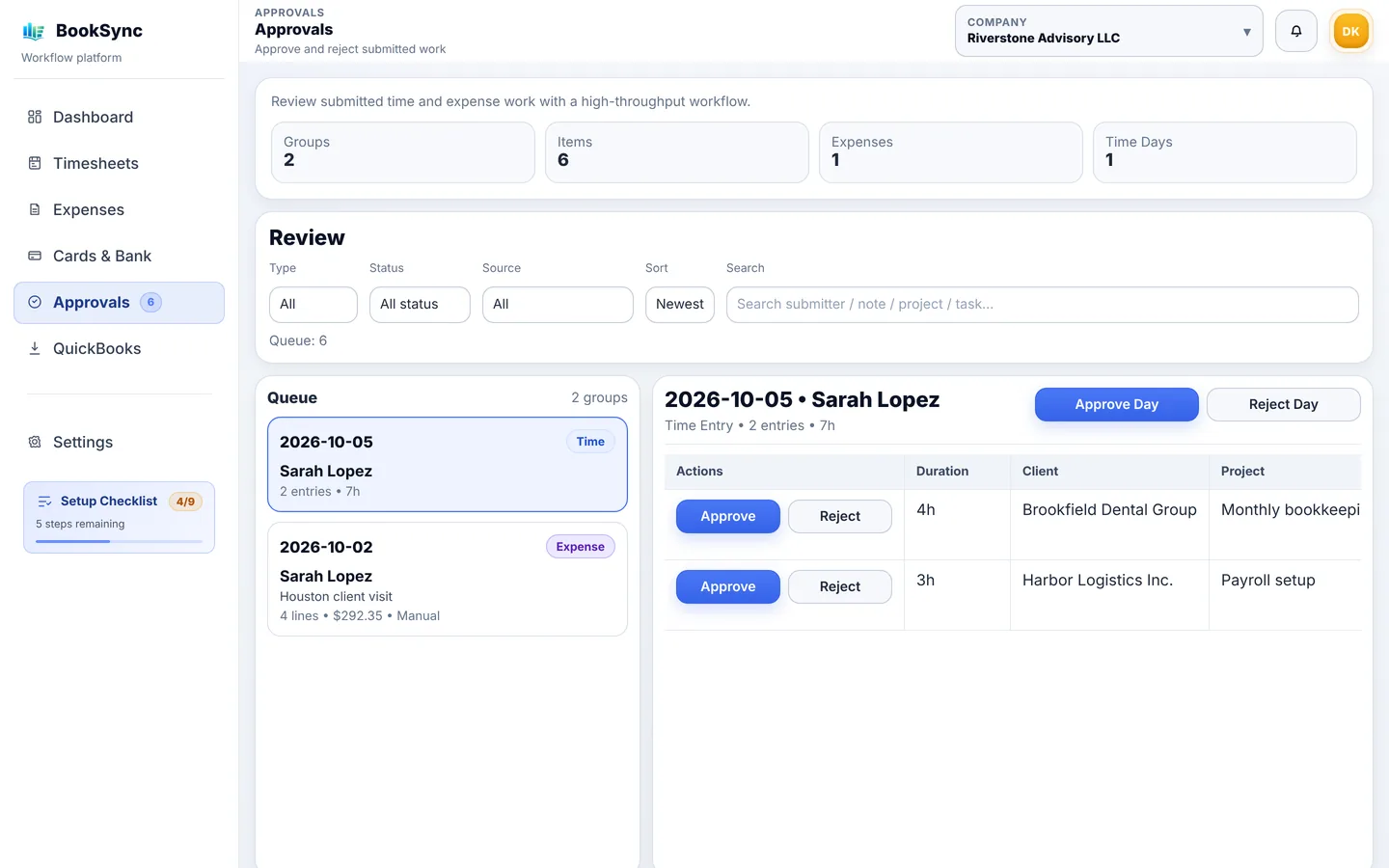
2. Approve
One queue for time and expenses. Send items back with a reason when something is off.
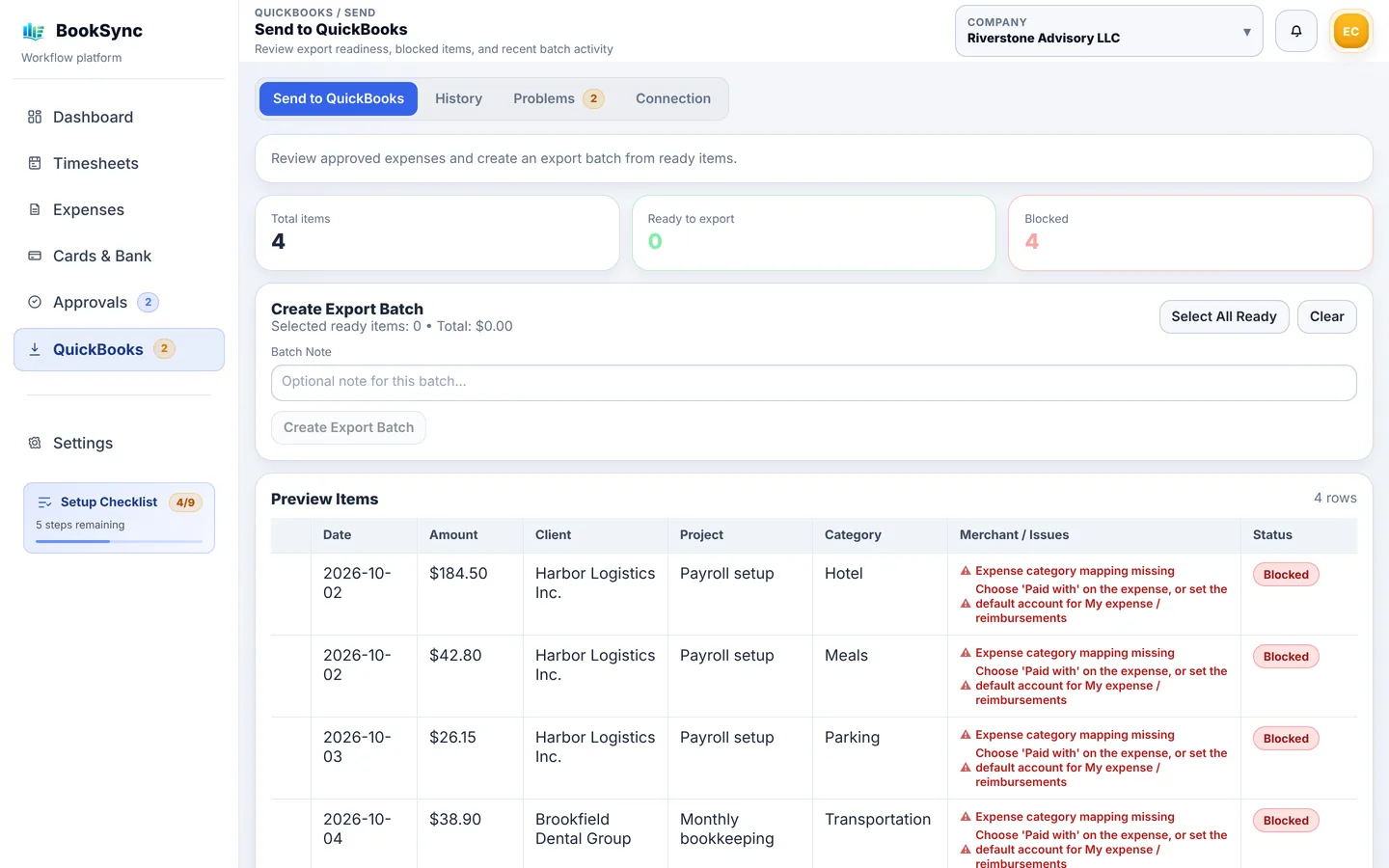
3. Check before sending
See exactly what will be created in QuickBooks. Problems are flagged before anything is sent.
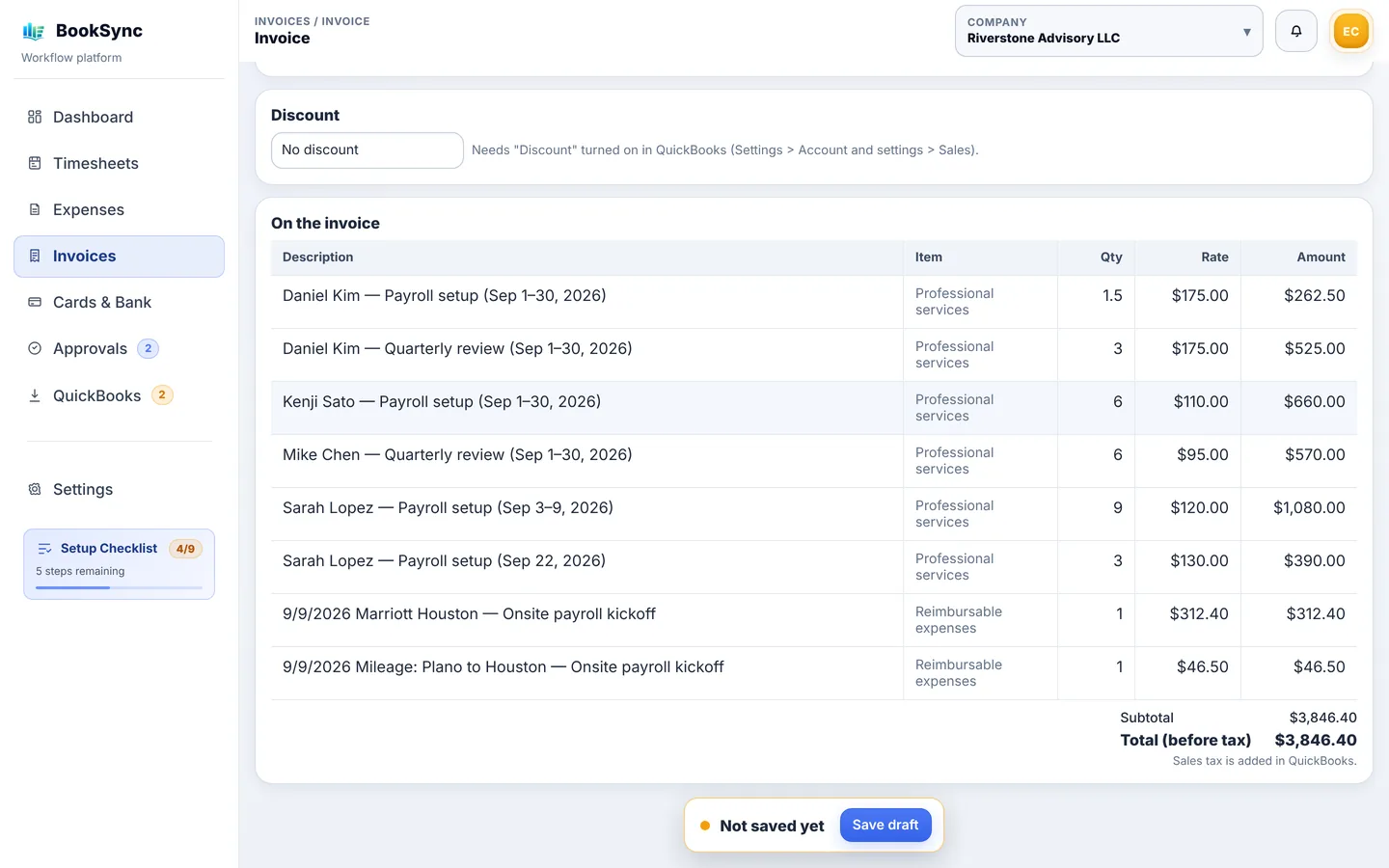
4. Invoice clients
Approved hours and billable expenses become a QuickBooks invoice in a few clicks.
Built for how firms work
The parts that matter at month-end.
✅
Approvals by role
Members are approved by admins or the owner; admins by the owner. Nobody approves their own time.
📅
Month-end close
Lock a month per client so approved time and expenses stay put.
💳
Card & bank statements
Import the CSV. Repeat charges are filled in from your past entries, and duplicates are skipped.
🧾
Invoices from approved time
Hourly rates per person, rate changes by work date, fixed-fee projects left out, nothing billed twice.
🏢
Multi-client view
See each client company's status at a glance and spot what's blocking month-end.
💬
Microsoft Teams & Copilot
Staff can log time and expenses or check approvals by asking Copilot in Teams.
QuickBooks Online
How the QuickBooks connection works.
BookSync works alongside your existing QuickBooks Online company. Nothing to migrate.
- 1ConnectSign in with Intuit and choose the company. You can disconnect at any time.
- 2Map onceLink expense categories to QuickBooks accounts, and clients and projects to QuickBooks customers. Close name matches can be linked in one click.
- 3ApproveOnly approved expenses can be sent. Expenses with missing settings are listed so you can fix them.
- 4SendEach expense becomes a QuickBooks expense with vendor, account, card and customer, and its receipt attached.
The same expense is never entered in QuickBooks twice.
Pricing
$24 a month, 1 user included. +$15 per additional user.
Every feature is included. Examples:
| Firm size | How it adds up | Per month |
|---|---|---|
| 1 user | $24 | $24 |
| 5 users | $24 + 4 × $15 | $84 |
| 10 users | $24 + 9 × $15 | $159 |
| 25 users | $24 + 24 × $15 | $384 |
30-day free trial. Cancel anytime during the trial. Payments are handled by Stripe.
Security
Your clients' numbers deserve real protection.
Here is exactly how BookSync protects your data — no vague promises.
🔒
Encrypted in transit
Every connection uses HTTPS (TLS). Nothing travels in plain text.
🔑
Strong sign-in
Passwords are kept only as a bcrypt hash, and repeated wrong attempts are blocked. Owners can require two-step sign-in with an authenticator app, or sign in with Microsoft 365 and keep your own rules.
🗝️
QuickBooks access encrypted
QuickBooks connection tokens are encrypted in our database. Disconnect anytime and we delete them.
🏛️
Each company kept separate
Every company's data is kept apart, and roles decide who can see, approve and correct what.
📝
Every change on record
Edits, approvals and corrections after approval are kept with who, when and why.
💾
US servers, backed up daily
Hosted in the United States with daily backups and downtime alerts.
💳
No card numbers
Billing runs on Stripe. BookSync never sees or stores a card number.
🚫
Your data stays yours
Never sold, never used to train AI. Cancel and it is deleted within 90 days.
⚖️
For tax practices: the FTC Safeguards Rule
The FTC Safeguards Rule requires firms that prepare tax returns to keep a written information security program and to use multi-factor authentication for people who access their systems. In BookSync, the owner can require two-step sign-in for everyone, which can be one part of that program. BookSync alone does not make a firm compliant; your program covers all of your firm's systems.
🛡️
No online service can honestly promise it will never be attacked. What we promise is to tell you exactly how your data is protected — and to tell you promptly if anything ever affects it.
The details are in our Privacy Policy.
Support
Help when you need it, in writing.
Step-by-step guides cover setup, approvals, card imports and QuickBooks. For anything else, email us — in English or Japanese.
Try it with your own team.
Start your 30-day free trial. No sales call needed.
Start free trial →